Android development on NixOS
Here we go, time for PAIN
First step is to get code running on an android device. I’m interested in trying flutter/dart and there appears to be recent github movement
15 hours of work later! Note this works as of 2020-03-19, nixpkgs ddf87fb1baf8f5022281dad13fb318fa5c17a7c6 and flutter-testing e5bcc251c8c5f3c483a7e62385d3c5b96db3e2c2 and 19.09 stable
shell.nix
{ pkgs ? import <nixpkgs> {} }:

let
  flutterPkgs = (import (builtins.fetchTarball "https://github.com/babariviere/nixpkgs/archive/flutter-testing.tar.gz")  {});
  unstablePkgs    = (import (builtins.fetchTarball "https://github.com/NixOS/nixpkgs/archive/nixpkgs-unstable.tar.gz")   {});
in
  pkgs.mkShell {
    buildInputs = with pkgs; [
      flutterPkgs.flutter
      unstablePkgs.android-studio
      jdk
      git
    ];

    shellHook=''
      export USE_CCACHE=1
      export ANDROID_JAVA_HOME=${pkgs.jdk.home}
      export ANDROID_HOME=~/.androidsdk
      export FLUTTER_SDK=${flutterPkgs.flutter.unwrapped}
    '';
  }
Unfortunately the method flutter was packaged with doesn’t cooperate with the androidPkgs so we are stuck with android-studio which uses a fhs environment (chroot with a standard linux file layout) Thus we can only interact with the android-sdk through fhs environments as well since the binaries aren’t wrapped.
Some system level configuration changes:
configuration.nix
  programs.adb.enable = true;

  boot.kernelModules = [ "kvm-amd" ];
  virtualisation.libvirtd.enable = true;

  users.users.username = {
      ....
      extraGroups = [
          ...
          "adbusers"
      ]
  }

  boot.kernelPackages = pkgs.linuxPackagesFor (pkgs.linux_4_19.override {
    argsOverride = rec {
      src = pkgs.fetchurl {
            url = "mirror://kernel/linux/kernel/v4.x/linux-${version}.tar.xz";
            sha256 = "0h02pxzzwc5w2kfqw686bpxc13a93yq449lyzxxkxq1qilcsqjv5";
      };
      version = "4.19.107";
      modDirVersion = "4.19.107";
      };
  });
~/.config/nixpkgs/config.nix
{
  ...
  android_sdk.accept_license = true;
}
The kernel pin to 4.19.107 was an interesting one, whichever version I was on has a bug in kvm-amd which caused nixos-rebuild switch and modprobe kvm-amd to hang with some inscrutable errors. I discovered this with dmesg | grep kvm which had a line like kernel BUG at arch/x86/kvm/mmu.c:296!
At this point I can run android-studio inside the shell,and follow the setup instructions and install/configure the flutter plugin. After loading set the flutter sdk path to the $FLUTTER_SDK variable, and setup an avd and load an emulator
$ flutter doctor
Doctor summary (to see all details, run flutter doctor -v):
[✓] Flutter (Channel stable, v1.12.13+hotfix.8, on Linux, locale en_US.UTF-8)
[!] Android toolchain - develop for Android devices (Android SDK version 28.0.3)
    ✗ Android license status unknown.
      Try re-installing or updating your Android SDK Manager.
      See https://developer.android.com/studio/#downloads or visit
      https://flutter.dev/setup/#android-setup for detailed instructions.
[✓] Android Studio (version 3.6)
[✓] Connected device (1 available)

! Doctor found issues in 1 category.
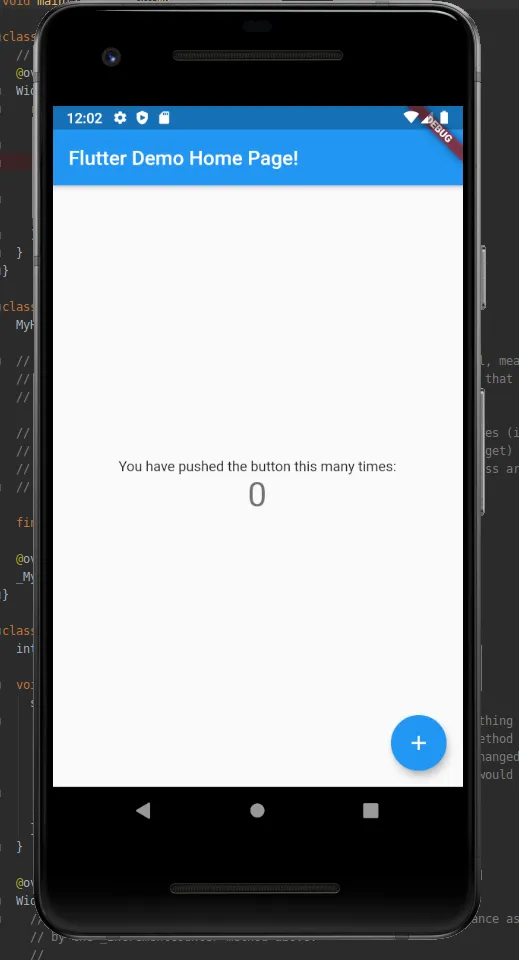
$ flutter run
...
Next step is the fun one, getting flutter to talk to the esp32